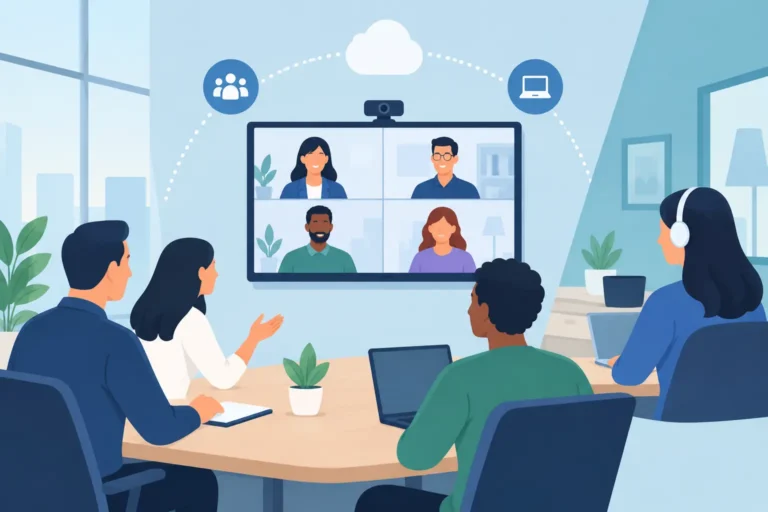
A hybrid conference can look polished in the room and still fail for remote attendees if they cannot hear a panelist, read a presentation, or ask a question at the right moment. Knowing how to plan hybrid conference technology means designing two connected experiences from the beginning: one for people in the venue and one for people joining online. Both audiences need clear communication, reliable access, and a professional level of participation.
The right system is not simply a camera pointed at a stage. It is a coordinated technical plan covering room design, audio capture, video production, internet connectivity, remote participation, content management, and operational backup. The scale may range from a board meeting with remote executives to a multi-room international summit with live interpretation, audience polling, and broadcast-quality production.
Start With the Audience Experience
Before selecting equipment, define what each audience must be able to see, hear, and do. An in-person attendee may need a conference microphone, a digital name sign, presentation screens, and live interpretation through a headset. A remote attendee may need a reliable event platform, a clean program feed, captions or translated audio, and a moderated route for submitting questions.
This distinction matters because venue audio does not automatically become good online audio. A room PA system is designed for people sitting in the room. Remote participants need individually captured voices, controlled audio mixing, and protection from echo and feedback. Likewise, a presentation that is visible on a large LED screen may be unreadable when captured by a wide camera shot. Slides, speaker video, and program graphics should be sent directly into the online feed.
Create a short event brief that identifies the number of in-person and remote attendees, event locations, session formats, languages, agenda duration, speaker locations, branding requirements, and required level of interaction. Include the decision-makers who will approve technical changes on site. This early work prevents a common problem: adding remote participation requirements after the production design has already been set.
Build the Hybrid Conference Technology Plan Around Content
The agenda determines the technology. A keynote, panel discussion, training workshop, awards presentation, and investor Q&A each require different production choices.
For keynote sessions, prioritize clean camera coverage of the speaker, direct slide capture, professional audio, confidence monitoring, and a managed online feed. A panel needs individual microphones for every participant, multiple camera angles, clear moderator communication, and a process for bringing remote questions into the room. Workshops may need breakout-room functionality, document sharing, whiteboard content, or two-way video for remote participants.
Do not treat every session as a broadcast. Decide where active participation is essential and where viewing is sufficient. A large executive summit may use moderated Q&A for remote viewers to keep discussion focused. A leadership workshop with 40 remote participants may require more direct conversation, making platform controls, return audio, and facilitator support more important.
Choose the right platform role
The event platform should support the experience you promised, not force the agenda into a limited format. Confirm its attendee capacity, registration process, speaker permissions, breakout options, chat and Q&A moderation, recording controls, analytics, and security settings. Also establish whether it will receive a finished program feed from the production team or whether speakers will present directly inside the platform.
For higher-profile conferences, a finished feed is usually the stronger choice. It allows the production team to switch between cameras, presentations, videos, lower-third speaker names, holding slides, and branded graphics. Direct platform presentations can work well for smaller meetings, but they offer less control over visual consistency and audio quality.
Prioritize Audio Before Cameras
Remote audiences will often tolerate a less dramatic camera angle. They will not tolerate unclear speech. Audio is the foundation of hybrid communication, particularly in venues with reflective surfaces, high ceilings, or neighboring event activity.
Specify the microphone type for each speaker position. Gooseneck conference microphones are effective for formal panels and boardroom layouts. Wireless handheld or lapel microphones suit keynote presenters and moving speakers. Discussion systems are useful when many delegates need structured access to a microphone, participant identification, voting, or agenda management.
The audio system should include separate mixes for the room, the online audience, recording, and interpretation where required. This is not unnecessary complexity. A remote feed may need a different balance than the room, with more emphasis on panel microphones and less ambient sound. An experienced audio engineer can manage these outputs and respond quickly when a presenter changes position or an unexpected video clip enters the program.
Plan multilingual communication early
International conferences should confirm language requirements before stage layouts and platform workflows are finalized. Simultaneous interpretation may involve interpreter booths, infrared or digital receivers for attendees, interpreter consoles, language distribution, and remote interpretation connections for online participants.
The online audience must be able to select the correct language channel without losing the main presentation or session video. In-person attendees need sufficient headsets and a practical collection process. If the agenda includes bilingual panels, translated Q&A, or speakers joining from different countries, test the full language workflow rather than assuming interpretation is only an audio add-on.
Design the Room for Both Audiences
A hybrid room has two sightlines: the audience looking at the stage and the camera looking back at it. Stage placement, lighting, screens, lecterns, furniture, and branding should all be reviewed from both perspectives.
Place cameras where they can capture presenters without blocking attendees or creating distracting movement. A basic setup may use one wide camera and one close camera. A larger conference often benefits from dedicated cameras for the keynote speaker, panel, audience questions, and roaming content. The correct choice depends on the program, venue dimensions, and expected production standard.
Lighting requires similar attention. A speaker can look acceptable to people in the room but appear underlit or shadowed on camera. Intelligent wireless lighting can provide controlled front light, stage color, and branded visual treatment without excessive cable runs in some venue layouts. Avoid relying only on house lighting, especially for recorded sessions or events with strong stage graphics.
Use confidence monitors or teleprompters when presenters need to follow a script, view notes, or see remote contributors. For remote speakers, provide a return feed that lets them see the moderator, slides, and relevant audience interaction. Without this, remote guests often speak at the wrong moment or cannot respond naturally to the room.
Treat Internet and Redundancy as Production Requirements
A venue’s advertised Wi-Fi is not a production plan. Hybrid events require a tested, dedicated connection sized for the outgoing program feed, platform traffic, speaker devices, and operational systems. Conduct a site survey and test the connection at the same time of day as the event whenever possible.
Confirm upload speed, connection stability, network access rules, firewall restrictions, and the technical contact responsible for the venue network. Use wired connections for critical production equipment rather than depending on guest Wi-Fi. For important events, prepare backup connectivity through an independent route or bonded cellular solution.
Redundancy should be proportionate to the event’s risk. A small internal update may need a backup laptop and secondary internet option. A government forum or international summit may require duplicate encoders, backup playback, redundant audio paths, spare microphones, additional power protection, and recorded content prepared locally. The question is not whether equipment can fail. It is how quickly the program can continue if it does.
Assign Clear Technical Roles and Rehearse the Handoffs
Hybrid production works best when each function has a named owner. The producer manages the agenda and speaker flow. The audio engineer manages sound in the room and online. The vision operator switches cameras and presentation content. The platform manager monitors remote attendees, chat, Q&A, permissions, and speaker access. A stage manager coordinates cues at the venue.
On smaller events, one qualified technician may manage several responsibilities. On complex programs, combining too many roles creates avoidable gaps, particularly during speaker transitions or live Q&A. This is where a managed rental package can be more practical than assembling separate equipment suppliers and asking internal staff to coordinate the system.
Run a full technical rehearsal with presenters, moderators, interpreters, and remote contributors. Test microphones, slides, videos, camera framing, remote return feeds, presentation clickers, Q&A moderation, and language channels. Ask remote speakers to join from the location and connection they will use on event day. A test call from a quiet office does not verify performance from an airport lounge, hotel, or corporate network.
Plan Support Beyond Setup
Equipment delivery and installation are only the first stage. Live conferences need active monitoring, rapid troubleshooting, and a defined escalation path. Confirm who handles late speaker changes, replacement equipment, remote login issues, platform questions, and recording handover.
For events in Dubai, across the UAE, or throughout the GCC, DLC Events can configure rental packages around the venue, audience size, multilingual requirements, and production format, with technical crews supporting setup and live operation. This approach gives organizers access to specialized conferencing and production systems without the cost and staffing demands of ownership.
The most useful final check is simple: ask whether a remote participant can follow every important moment without needing someone in the room to explain what happened. If the answer is yes, the technology plan is serving the conference rather than competing with it.