A panel can look excellent in the room and still produce an unusable recording. The usual reason is not the camera. It is missed audio, uneven microphone levels, a presenter who walks out of frame, or a recording setup that was never designed around the room. Knowing how to record panel discussions begins with treating the session as a production, not as a camera placed at the back of the audience.
For conferences, leadership forums, product launches, and multilingual summits, the recording may become a post-event asset, a compliance record, training content, or material for remote audiences. That makes intelligibility, reliable capture, and a polished visual result equally important.
Start With the Purpose of the Recording
The right technical plan depends on what the finished recording must achieve. A simple internal archive has different requirements than a polished highlight package for corporate communications. A panel streamed to remote attendees needs switching, graphics, and redundant connectivity, while an on-demand recording may only need carefully captured camera feeds and clean audio for editing later.
Decide whether the priority is full-session documentation, a live hybrid experience, short social clips, or a combination of these. This decision affects camera positions, the number of operators, screen content, lighting, recording formats, and post-production time.
Also define who needs to be seen and heard. A moderator with four seated panelists is a different setup from a discussion that includes audience questions, roaming speakers, live polling, interpretation, or remote contributors. Planning around the actual format prevents late changes that compromise coverage.
How to Record Panel Discussions With Clear Audio
Audio is the foundation of every professional panel recording. Viewers will tolerate an occasional wide camera shot. They will not stay with a recording where one speaker is distant, audience noise overwhelms the discussion, or questions cannot be understood.
Each moderator and panelist should have an individual microphone channel. Gooseneck conference microphones, discreet lavalier microphones, or headset microphones can all work well, depending on the stage design and how much movement is expected. Conference discussion systems are particularly effective for formal seated panels because each participant has a defined microphone position, controlled activation, and a clear audio path to the sound console and recording system.
Avoid relying on a single room microphone or the camera’s built-in microphone. Those sources capture reverberation, audience noise, PA reflections, and inconsistent speech levels. They are useful as ambient backup, but not as the primary recording source.
A dedicated audio engineer should monitor the panel in real time. The engineer can adjust levels as speakers change, manage microphone muting, prevent feedback, and create a clean recording mix. Where the schedule and budget allow, record isolated channels as well as the live mix. Isolated tracks give the editor the ability to repair one low voice, remove a cough, or rebalance the discussion without affecting every speaker.
Audience Q&A needs its own plan. Use a handheld wireless microphone with a trained floor runner, fixed aisle microphones, or a digital discussion system that supports delegate microphones. If audience questions matter to the final content, they cannot be an afterthought.
Plan Camera Coverage Around Conversation
One locked-off wide camera provides documentation, but it rarely delivers an engaging result. For most corporate panels, a two- or three-camera approach offers a better balance of quality and operational cost.
A wide camera should show the full stage, panel layout, and presentation screen where possible. A second camera should capture medium and close shots of the active speaker. For larger panels, a third camera helps cover the moderator, reactions, and speaker changes without abrupt reframing.
Camera placement must be considered with sightlines in mind. Do not obstruct attendee access, emergency routes, sponsor branding, or the view of guests in premium seating. Elevated positions can improve the angle in a crowded room, but they also require appropriate platforms, cable management, and venue approval.
For a live program, camera operators and a vision mixer should coordinate through professional show intercoms. This allows the production team to cue cameras, anticipate speaker changes, and move between angles cleanly. A switched program recording is efficient for fast turnaround. Recording individual camera feeds at the same time provides more flexibility if the session will be edited into a longer-lasting asset.
Capture Presentations, Graphics, and Remote Speakers
A panel recording is incomplete if viewers can hear a speaker refer to a slide, chart, or video but cannot see it. Take a direct feed from the presentation system and record it separately or incorporate it into the live program output. This is cleaner than filming a projection screen and avoids issues with brightness, flicker, and poor readability.
Use speaker names, titles, event branding, and session titles as on-screen graphics when producing a live or edited program. Keep these elements accurate and restrained. Graphics should clarify the discussion, not compete with it.
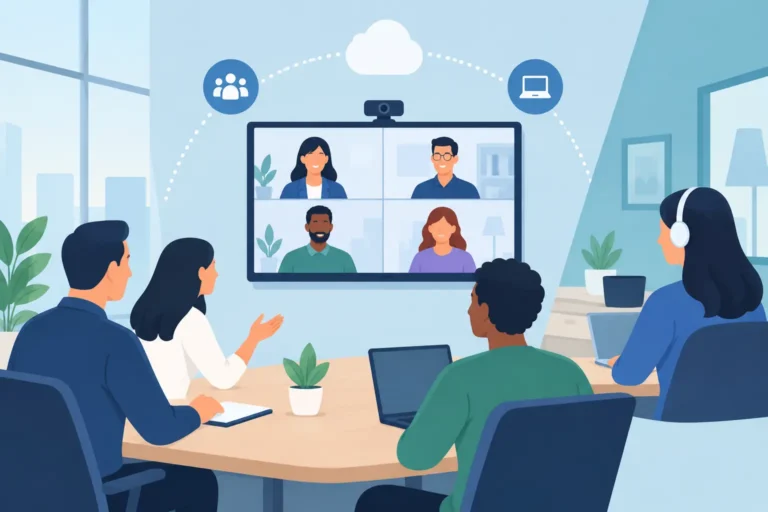
Remote panelists need special attention. Their video and audio should enter the production system through a managed hybrid workflow, not through an open laptop placed near a PA speaker. A return audio feed, echo management, stable internet connection, and a technical check with each remote contributor are essential. If the remote guest is central to the discussion, arrange a backup connection or a pre-recorded contribution where appropriate.
Control the Room Before You Press Record
The venue affects the recording more than many planners expect. Large ballrooms with hard surfaces can create echo. Exhibition halls may introduce constant HVAC and neighboring-stand noise. Hotels sometimes have low lighting levels that look acceptable to the eye but produce dark, grainy camera footage.
A site survey or detailed venue review should confirm stage dimensions, seating layout, ceiling height, power availability, lighting positions, cable paths, control-room space, and internet access. It should also identify where cameras can be positioned without affecting the guest experience.
Lighting deserves early attention. Panelists should be lit evenly from the front, with enough separation from the background to avoid flat-looking images. Avoid placing speakers directly in front of bright LED walls or projection screens unless the lighting and camera exposure are designed for that environment. The goal is natural faces, readable branding, and consistent coverage as the session progresses.
Before doors open, run a full rehearsal or technical line check. Confirm every microphone, camera, presentation feed, recording destination, intercom channel, and backup device. Ask panelists to speak at realistic volume, especially if they will use handheld microphones or participate in audience Q&A.
Build Redundancy Into the Recording Plan
High-stakes events should never depend on one device, one cable, or one recording path. A professional setup typically includes a primary recording system and a separate backup for the program feed. Important audio should be recorded independently, and critical cameras should have verified media capacity and power.
Redundancy should be proportionate to the event. A small internal session may need a simple backup audio recorder. A government summit, executive announcement, or international conference may warrant duplicate recording paths, spare microphones, standby cameras, backup power, and technical crew assigned specifically to monitoring signal integrity.
Storage management is equally practical. Confirm recording duration, codec, resolution, frame rate, and available media well before the session. A 4K multi-camera workflow creates larger files and more editing flexibility, but it also increases storage requirements and transfer time. For many corporate recordings, well-executed HD is the more efficient choice.
Prepare for Multilingual and Accessible Content
International panels often require simultaneous interpretation, translated captions, or multiple language audio tracks. These services need to be designed into the signal flow from the start. Interpretation audio can be captured as separate language channels, while remote viewers may need language selection through the event platform.
If captions are required, determine whether live captions, post-produced captions, or both are needed. Live captions support accessibility during a hybrid session, while reviewed post-produced captions usually provide greater accuracy for the final recording. Speaker names, technical terminology, and bilingual content should be shared with the captioning team in advance.
Consent also matters. Inform speakers that the session will be recorded, confirm how footage may be used, and make sure audience members understand if Q&A will be captured. This is especially relevant for internal meetings, government events, and sessions involving confidential business information.
Assign Clear Production Responsibilities
Reliable recording is not only an equipment question. Someone must own each part of the operation: audio mixing, camera coverage, presentation playback, recording verification, streaming, and speaker coordination. On smaller programs, one experienced technician may cover several functions. On a complex hybrid event, separating these responsibilities reduces risk.
The production team should have a written run-of-show that identifies session timings, panelist names, slide cues, video playback, remote guest call times, Q&A procedures, and required deliverables. A pre-session briefing with the moderator is particularly valuable. It can cover microphone use, how to repeat audience questions, when to reference slides, and what to do if a remote contributor experiences a delay.
For organizers requiring a managed solution, DLC Events can configure recording, professional audio, conference microphones, camera coverage, interpretation, and technical operation around the venue and event format. The aim is not to add equipment unnecessarily. It is to make every contribution clear, visible, and recoverable after the room is cleared.
A well-recorded panel gives your speakers a longer life than the agenda slot they were assigned. Plan the technical workflow early, test it under real conditions, and give the discussion the production support it deserves.