A senior executive asks a question from the back of a ballroom. A remote attendee is following from another time zone. A delegate speaks Arabic while the presenter speaks English. If the communication system does not support every person in that moment, the event experience becomes uneven. AI powered event accessibility helps organizers close those gaps with live captions, speech translation, audio distribution, and supported event workflows.
For conferences, summits, corporate meetings, and government programs, accessibility is not an add-on to consider after the agenda is finalized. It affects how clearly attendees receive information, how confidently they participate, and how professionally the program is perceived. The right approach combines AI capabilities with proven event technology, qualified technicians, and a clear plan for the audience in the room and online.
What AI Powered Event Accessibility Means in Practice
AI accessibility tools can convert spoken content into live captions, translate speech into other languages, and deliver those outputs to attendee devices or event displays. Used well, they help audiences keep pace with fast-moving presentations, technical discussions, and multilingual Q&A sessions.
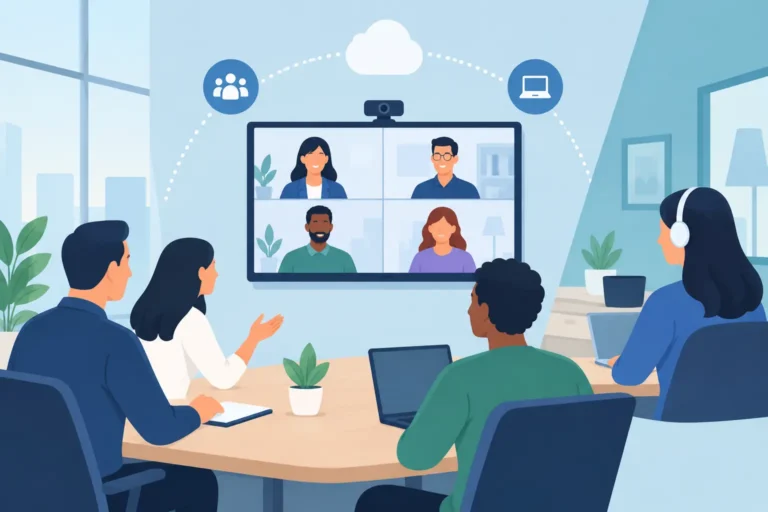
The practical value is broader than transcription. A participant with hearing loss may need real-time captions. An international delegate may need translated audio or text. Someone seated far from the stage may benefit from a personal headset and clear audio feed. Remote attendees need the same consideration, with captions and translated content integrated into the virtual platform rather than treated as a separate service.
No two events require the same setup. A single-language training workshop may prioritize captioning and speech reinforcement. A diplomatic forum may require simultaneous interpretation, delegate microphones, floor-language audio, and AI-generated captions as an additional reference layer. A large exhibition may need accessible content across several presentation zones, where equipment placement and network coverage matter as much as the software itself.
AI Supports Accessibility, but It Does Not Replace Event Planning
AI speech tools have improved quickly, especially for clear speakers and widely used languages. They can reduce the time and cost required to provide captioning or translation for certain sessions. However, an AI platform is not automatically a complete accessibility solution.
Accuracy depends on audio quality, speaker diction, background noise, accents, specialized terminology, and the language pair involved. Medical, legal, financial, and government events often contain terms that need preparation and human oversight. Names, acronyms, product terminology, and Arabic-English switching can also challenge automated systems if they are not configured and tested in advance.
This is where the event production layer matters. Professional microphones, properly tuned sound systems, and controlled audio routing provide the clean source signal AI services need. A weak wireless microphone, feedback from a loudspeaker, or an unplanned panel discussion can affect both the room experience and caption accuracy.
For high-stakes multilingual events, professional simultaneous interpreters remain the right choice when nuance, diplomacy, regulatory content, or complex negotiation is involved. AI translation can still be valuable for informal sessions, event navigation, secondary language support, and rapid access to general information. The best choice depends on the consequence of an error, the languages required, and the expectations of the audience.
Build Accessibility Into the Technical Design
Accessibility works best when it is addressed during event planning, not during final setup. The production team should understand the event format, number of languages, expected attendance, room layout, content type, and whether virtual participation is included.
For a conference with multiple breakout rooms, organizers may need a different accessibility package in each space. One room may use live captions on confidence monitors for a keynote speaker. Another may need an interpretation booth, infrared or digital receivers, and individual delegate headsets. A boardroom program may require table microphones, AI speech translation, and a display that allows participants to follow captions without disrupting the meeting flow.
A managed rental solution also avoids the unnecessary burden of purchasing equipment that may only be needed for a few event days. Organizers can specify the requirement, then receive appropriately scaled conferencing, audio, captioning, interpretation, and technical support systems for the venue and agenda.
Start With the Audience, Not the Tool
The question is not simply whether to use AI. The better question is what attendees need to participate fully.
Consider whether guests will need captions, translated audio, translated text, hearing assistance, readable screen content, or accessible ways to ask questions. Registration data can help identify requirements early, but not every need will be disclosed in advance. It is sensible to build flexibility into the event plan, particularly for public programs, international conferences, and large corporate gatherings.
The delivery method should also fit the audience. Captions may be shown on side screens, confidence monitors, or personal devices. Translated audio may be delivered through silent headsets, interpretation receivers, or a mobile-based platform. Each option has trade-offs involving privacy, device availability, battery management, Wi-Fi capacity, sightlines, and attendee support.
Prepare Content and Terminology
AI systems perform better when they have context. Providing agendas, speaker names, presentation decks, technical vocabulary, company terminology, and expected acronyms before the event can improve results. This preparation is especially useful for product launches, medical congresses, energy forums, and policy meetings where terminology may not appear in general language data.
Speakers should also receive simple guidance. They do not need to speak unnaturally slowly, but they should use the assigned microphone, avoid talking over other panelists, and pause briefly when changing slides or opening the floor for questions. These practices improve clarity for every attendee, not only those using captions or translation.
Test the Entire Attendee Journey
A pre-event test should include more than a demonstration of the AI platform. Check the microphone feed, caption display location, headset distribution, network connection, remote attendee view, and the process for technical assistance during live sessions.
For hybrid events, test with a remote participant who has not been involved in the setup. They can identify practical issues such as captions covering shared slides, translated audio being difficult to locate, or panel audio arriving at inconsistent levels. Testing from the attendee perspective is often more useful than checking individual devices in isolation.
Where AI Accessibility Delivers Immediate Value
Live captioning is often the most visible application. It supports attendees with hearing loss, improves comprehension in rooms with difficult acoustics, and gives non-native speakers a second way to follow the presentation. It can also help during fast technical sessions where attendees want to confirm terminology or figures.
AI speech translation can extend the reach of an event without adding a full interpretation channel for every language. This can be useful for internal town halls, training sessions, exhibition presentations, and selected conference tracks. For formal multilingual proceedings, it should be evaluated alongside professional interpretation rather than assumed to be an equal substitute.
Transcripts and searchable session records can provide useful post-event value, subject to privacy rules and speaker approvals. Corporate communications teams may use them to review key messages, prepare follow-up materials, or support attendees who could not join a particular session. Sensitive discussions require clear consent procedures, access controls, and a defined retention policy before recording or transcription begins.
Operational Details That Protect the Experience
A strong accessibility plan includes a human support plan. Attendees need clear instructions on where to find captions, how to collect a receiver or headset, and who to contact if a device is not working. Signage, registration staff, and room technicians should all communicate the same information.
Equipment redundancy is also worth considering for critical programs. Spare receivers, charged batteries, backup microphones, alternate network options, and on-site technicians can prevent a minor technical issue from affecting an entire session. The required level of backup depends on the scale and importance of the event, but high-visibility programs should not rely on a single point of failure.
DLC Events can configure managed accessibility and multilingual communication packages around the event format, venue conditions, audience profile, and required level of support. With conferencing systems, interpretation technology, AI speech translation, professional audio, and experienced technical crews available as part of a coordinated rental solution, organizers can focus on the program while the communication environment is properly managed.
Make Accessibility a Standard of Event Quality
When attendees can hear, read, understand, and respond, the event performs better for everyone. AI can make that outcome more achievable, but the technology needs clean audio, realistic expectations, thoughtful deployment, and technical support behind it.
The most effective next step is to define accessibility requirements alongside your agenda, room plan, and language needs. That early decision gives your technical team the time to design an experience where more people can take part with confidence.