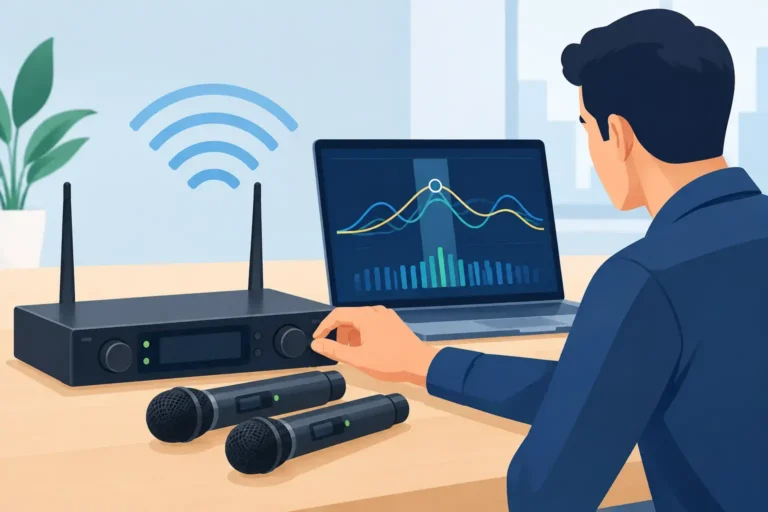
A wireless microphone that works perfectly during setup can fail the moment a ballroom fills with phones, broadcast crews, LED walls, and neighboring events. To calibrate wireless microphone frequencies correctly, production teams must do more than press scan on each receiver. They need a coordinated frequency plan that accounts for the venue, the number of channels, local spectrum use, and the event’s actual operating conditions.
For conferences, multilingual summits, product launches, and panel discussions, clean wireless audio is not a luxury. It protects the speaker experience, keeps interpretation feeds intelligible, and prevents the distracting interruptions that audiences remember long after an event ends.
What wireless microphone calibration really means
Wireless microphone systems do not usually require calibration in the same way as a measuring instrument. In event production, the phrase generally describes the process of scanning available radio spectrum, assigning compatible frequencies to transmitters and receivers, matching each transmitter to its receiver, and confirming stable performance across the venue.
The goal is simple: every active microphone must have a clear radio-frequency path to its receiver without interfering with another microphone, a television transmission, an in-house wireless system, or an external source of RF activity.
This distinction matters because manually selecting open-looking frequencies is not enough. Two channels may appear separate but still create intermodulation products when used together. Those products can land directly on another assigned channel and cause dropouts, noise, or intermittent loss of audio. Professional coordination software and properly designed wireless systems calculate these relationships before the event begins.
Start with the venue, not the equipment rack
A frequency plan is venue-specific. The same microphone channels that operate reliably in one hotel ballroom may be unusable at a convention center, outdoor activation, or broadcast studio.
Begin with an RF scan at the venue. This identifies active signals across the usable frequency range and provides a current picture of local conditions. Run the scan with the wireless systems powered down where practical, so the results show external RF activity rather than your own transmitters. Then repeat checks after nearby production equipment, LED displays, communications systems, and other event services are active.
Large venues can require more than one scan location. Radio conditions may differ between a main stage, a breakout room, backstage holding areas, and remote audience zones. A receiver rack located behind a stage structure or inside a technical room may also experience different conditions from the performance area.
For high-profile programs, it is wise to ask the venue early about permanent wireless infrastructure, house Wi-Fi, broadcast activity, and simultaneous events in adjacent halls. This information helps the technical team plan the correct operating band and avoid last-minute frequency changes.
How to calibrate wireless microphone frequencies step by step
A disciplined workflow prevents most wireless microphone issues before rehearsals begin.
Scan the available spectrum
Use the receiver or an RF coordination tool to scan the relevant frequency bands. Look for clean areas with low background activity, but do not assume every quiet point is usable. The final selection must be compatible with all other wireless channels in the system.
Avoid relying on a scan completed days before the event. Spectrum conditions can change when another organizer moves into the venue, a broadcaster arrives, or the building activates equipment for a separate program. A fresh scan during setup is the operational standard.
Build a coordinated channel plan
Enter every wireless device that will transmit during the event. This includes handheld microphones, bodypack transmitters, headset microphones, instrument packs, wireless intercom, in-ear monitoring, tour-guide systems, and sometimes video or control devices operating in related bands.
The coordination tool should assign frequencies with suitable spacing and calculate intermodulation-free combinations. If the system supports networked coordination, send the approved assignments directly to the receivers. This reduces manual entry errors and makes it easier to document the final plan.
Do not treat frequency coordination as a microphone-only task. In a multi-room conference, the RF plan needs to consider all rooms and all departments. A channel assigned for an executive panel in one ballroom can interfere with a neighboring training session if both spaces share the same RF environment.
Sync transmitters and label every channel
Once receivers have their assigned frequencies, sync each transmitter to its matching receiver. Confirm the correct pairing before attaching lavalier microphones or issuing handheld units to presenters.
Clear labeling is essential. Identify the receiver channel, transmitter, microphone type, speaker name or role, room, and backup assignment. For a panel discussion, labels such as “Panelist 1” are helpful, but a detailed production label such as “Main Hall – Panelist 1 – Lav – Ch. 07” is better when dozens of devices are in circulation.
Keep a printed or digital frequency chart at front of house and with the audio team backstage. If a transmitter must be replaced during a live session, the team should know immediately which backup device is approved for that channel.
Set gain correctly after RF coordination
Frequency stability and audio gain are separate issues, but they affect the same audience experience. After coordinating RF, set transmitter sensitivity and receiver output levels for the actual speaker and microphone position.
A lavalier microphone clipped too low, a headworn mic placed off-axis, or an over-sensitive bodypack setting can cause low speech level, distortion, or feedback. Do not compensate for poor placement by pushing the mixer gain excessively. Correct the source first, then set the gain structure through the receiver, console, recording feed, and interpretation system.
Test under event conditions
Walk-test every wireless channel throughout the speaking area. Have someone wear or hold the transmitter as it will be used on stage, then move through lectern positions, panel seating, audience aisles, backstage routes, and any areas where presenters may enter or exit.
Listen for audible hits, companding artifacts, RF level drops, or changes caused by body blocking. Watch receiver diversity indicators and RF meters, not only the audio output. A microphone may sound fine in a short test yet have limited RF margin that becomes a problem when the room is full.
Common causes of interference and dropouts
Not every wireless audio problem is caused by a bad frequency assignment. A professional troubleshooting approach separates RF faults from battery, antenna, audio, and handling issues.
Low transmitter batteries can mimic RF instability, especially when a device drops out under higher power demand. Use fresh, approved batteries or fully charged manufacturer-specified rechargeable packs, and monitor battery status throughout rehearsals and show time.
Antenna placement is equally important. Receiver antennas should have a clear path to the performance area and should not be hidden behind metal structures, LED walls, equipment racks, or dense cabling. For larger rooms, remote directional antennas positioned closer to the stage can provide more reliable coverage than antennas mounted on the rear of a rack.
Intermodulation is another common issue when individual systems are added without updating the full coordination plan. A last-minute handheld microphone, wireless intercom beltpack, or neighboring production system can disrupt an otherwise stable setup. Any added transmitter should be coordinated before it is turned on.
Finally, distinguish between RF dropouts and feedback. Feedback is an acoustic gain issue involving loudspeakers, microphones, room reflections, and mixing levels. Changing frequencies will not solve it.
When automatic scanning is enough and when it is not
Automatic scan-and-sync functions are useful for a small meeting with a few wireless channels in a controlled room. They can quickly identify a workable starting point and simplify setup for standard applications.
However, they are not a substitute for full coordination in complex environments. A multi-language conference may combine presenter microphones, interpretation feeds, wireless audience Q&A, show intercom, recording, press coverage, and multiple breakout rooms. At that scale, each wireless component must be planned as part of one RF ecosystem.
The same applies to venues near airports, broadcast facilities, exhibition centers, or dense urban areas. The available spectrum may be limited or change quickly. A managed technical team can bring coordinated inventory, remote antenna distribution, backup channels, and monitoring procedures that reduce risk throughout the program.
Build redundancy into critical events
For keynote speakers, government sessions, executive announcements, and live broadcasts, the right question is not only whether the primary microphone works. It is how quickly the team can recover if it does not.
Keep a coordinated backup microphone ready for critical speakers, with a clear handoff plan for stage management. Where appropriate, use dual-microphone coverage or a backup bodypack already fitted to the presenter. Maintain spare transmitters, capsules, batteries, antennas, and patch paths at the technical position.
DLC Events supports wireless audio and conference technology deployments with coordinated equipment packages, experienced technicians, and on-site troubleshooting for events across Dubai, the UAE, and the wider GCC. The right system is selected around the venue, channel count, audience format, and operational demands rather than a one-size-fits-all equipment list.
A clean frequency plan is created before doors open, then protected through active monitoring and disciplined change control. When speakers can focus on their message instead of their microphone, the technology is doing exactly what it should.