A chairperson pauses to recognize a delegate, but the microphone is not live. A question from the back of the room cannot be heard by remote participants. The agenda slips while technicians search for the source of feedback. These are small failures with large consequences at board meetings, government forums, and international summits. A properly specified conference discussion system prevents them by giving every participant a clear, controlled way to speak.
For organizers, the objective is not simply to place microphones on tables. It is to create an environment where discussion is orderly, audible, recorded when required, and manageable from the first agenda item to the final vote. The right system supports the format of the meeting, the layout of the venue, and the level of protocol expected by speakers and attendees.
What a Conference Discussion System Does
A conference discussion system is a network of delegate and chairperson microphone units connected to a central control unit. Depending on the configuration, it can manage speaker requests, activate microphones automatically or through an operator, prioritize the chairperson, display delegate details, record proceedings, and integrate with interpretation, sound reinforcement, cameras, and conference management software.
At its simplest, a system allows delegates to press a button and speak into an individual gooseneck microphone. In a more formal setting, a request-to-speak function places delegates in a managed queue. The chairperson or operator can approve each request, open a set number of microphones at once, or mute active positions when the discussion needs to move forward.
That control matters most when the meeting involves senior stakeholders, formal procedures, large delegate counts, or sensitive discussions. Handheld wireless microphones can work well for audience Q&A, but they do not provide the same structure, identification, or chairperson control as dedicated conference units.
Start With the Meeting Format, Not the Equipment
The best equipment package depends on how people will participate. A 20-person executive meeting around a boardroom table has different needs from a 300-delegate congress in theater seating. Before selecting microphones, establish who will speak, where they will sit, and how the conversation will be managed.
For a boardroom or U-shaped layout, individual delegate units provide clear pickup and a clean visual presentation. A chairperson unit should be positioned at the head table or central leadership position, with priority control available when needed. In a classroom layout, microphones may be assigned to tables rather than every seat if only selected attendees are expected to contribute.
A parliament-style, cabaret, or large summit layout usually requires more planning. Delegates may need assigned seating, name display, request buttons, voting capability, or language selection. The microphone count, cable routing, and control strategy must be designed alongside the floor plan, not after tables and stage elements have been finalized.
It also depends on the event culture. A leadership workshop may benefit from open microphones that encourage free conversation. A regulatory hearing, shareholder meeting, or ministerial session often needs controlled requests, speaking limits, and a clear record of who addressed the room.
Wired and Wireless Systems Serve Different Priorities
Wired conference units remain a strong choice for formal, long-duration meetings. They offer dependable connectivity, consistent power, and orderly cable routing when installed by an experienced technical team. They are particularly suitable for fixed seating plans, multi-day conferences, and rooms where microphone positions will not change.
Wireless delegate systems provide greater flexibility for venues with complex table layouts, heritage restrictions, or short turnaround times. They can reduce visible cabling and make reconfiguring a room easier. However, wireless deployment requires careful frequency coordination, battery management, and proper radio planning. For high-profile events, the system should be tested in the actual venue environment rather than assumed to perform the same way it did in another room.
The decision is not about one technology being universally better. It is about matching the system to the venue, schedule, room design, and operational risk profile.
Essential Features to Specify
A capable conference discussion system can do much more than transmit speech. The features that matter should be selected according to the agenda and participation model, rather than added simply because they are available.
Chairperson priority is valuable when a moderator must regain control quickly. Request-to-speak functions work well for structured panels, delegate assemblies, and meetings where many participants may want the floor. Speaker timers can help maintain a tight agenda, while microphone limit settings prevent too many open mics from creating room noise or acoustic feedback.
For events with formal attendance protocols, delegate identification can be especially useful. Digital name signs or integrated displays make it easier for speakers, moderators, and camera operators to identify participants. When paired with conference management software, the system may support attendance tracking, agenda control, electronic voting, and reporting.
Recording is another decision that should be made early. A clean recording feed can be captured from the discussion system for minutes, compliance, post-event review, or content production. If video is being recorded, camera tracking can be configured to follow the active speaker. This creates a more professional result for hybrid events and provides remote audiences with a clearer sense of who is addressing the room.
Plan Audio, Interpretation, and Hybrid Participation Together
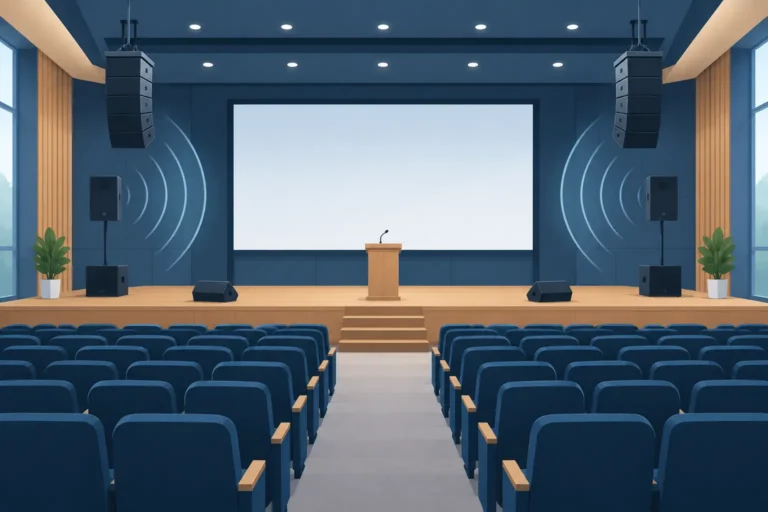
A discussion microphone system should not be treated as an isolated technical item. It must work with the wider event audio plan. Loudspeaker placement, room acoustics, stage monitors, playback, remote contributors, and recording feeds all affect the final result.
In smaller rooms, delegates may hear one another naturally, and the conference microphones may be used primarily for recording, streaming, and remote participation. In larger ballrooms or divided meeting spaces, the microphones need to feed a professional sound system so every speaker is intelligible throughout the room. Proper gain structure and acoustic control are essential. Raising volume to solve poor intelligibility often creates feedback instead of clarity.
Multilingual meetings require another layer of coordination. A simultaneous interpretation system can connect with delegate units so attendees select their preferred language at their seats. Interpreters receive a clear floor-language feed, while delegates listen through headphones or integrated language channels. For international conferences across the UAE and GCC, this integration is often central to making participation equitable rather than merely convenient.
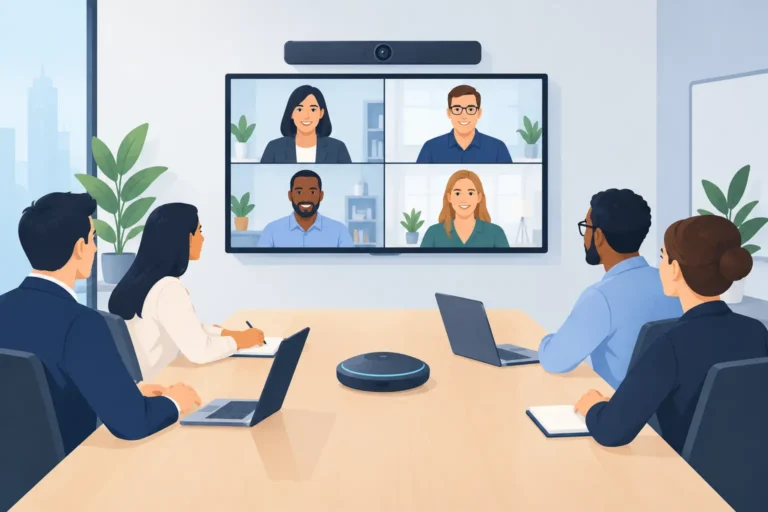
Hybrid programs also need deliberate routing. Remote speakers require return audio that is free from echo, while online attendees need a clean mix of active microphones, presentation audio, and, where applicable, interpretation channels. A meeting platform alone cannot solve these production requirements. The physical room system and remote workflow must be tested as one operation.
Why Professional Setup Changes the Outcome
Conference equipment can appear straightforward until a room changes, a speaker arrives late, or a networked component needs to interface with an interpretation console, camera system, or streaming platform. This is why managed rental is often the practical choice for organizations that run occasional or high-stakes events.
A technical team can survey the venue, confirm seating capacity, map microphone positions, plan cable routes, coordinate with the venue audio infrastructure, and test each unit before delegates enter. During the event, operators can manage speaker queues, adjust microphone settings, support presenters, and resolve issues without placing that responsibility on the event organizer.
Rental also allows the package to scale. One program may need 15 wireless delegate units for a leadership retreat; the next may require several hundred wired units, interpretation channels, recording, digital name signs, and multiple breakout rooms. Owning equipment rarely provides the same flexibility without tying up budget in storage, maintenance, upgrades, and specialist staffing.
DLC Events designs conference technology packages around the actual event environment, with equipment, technical crews, and operational support coordinated as one service. For planners, that means fewer last-minute compromises and a clearer path from floor plan to live discussion.
Questions to Resolve Before Confirming Your System
Confirm the expected delegate count, the number of active speakers, and whether every attendee needs a dedicated unit. Clarify whether the chairperson needs priority control, whether discussions must be recorded, and whether voting or delegate identification is required. These choices affect both equipment selection and the time needed for setup.
Venue details are equally important. Share the latest seating plan, table dimensions, room access times, stage design, power availability, and any restrictions on cabling. If the program includes interpretation, streaming, or remote presenters, identify the languages, platforms, and content requirements early enough for full system testing.
Finally, consider what happens when the agenda changes. A practical design allows for late speaker additions, reconfigured seating, and clear support channels during rehearsals and live sessions. The most effective conference discussion system is the one that lets participants focus on the decision in front of them, not the technology carrying their voices.