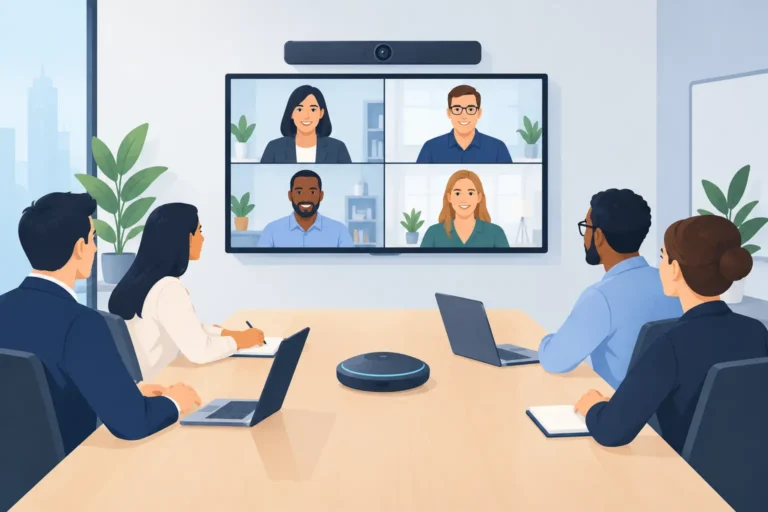
A hybrid meeting fails long before the platform disconnects. It fails when remote attendees cannot hear a question from the room, speakers face a poorly framed camera, or interpreters receive unclear audio. The best hybrid meeting equipment is not one product or a fixed checklist. It is a coordinated system that gives in-room and remote participants an equally clear path to hear, see, speak, and contribute.
For corporate meetings, government forums, international conferences, and multi-room summits, the right system depends on the venue, agenda, audience size, languages, and level of interaction required. A board meeting with 12 participants needs a different approach than a conference with 500 delegates, six panelists, live interpretation, and an online audience joining from several time zones.
Best Hybrid Meeting Equipment Starts With Audio
Video may receive the most attention, but audio determines whether a hybrid meeting is usable. Remote attendees can tolerate an occasional imperfect camera angle. They will not stay engaged if speech is muffled, distant, interrupted by feedback, or buried under room noise.
A professional setup starts with the right microphone format. Wireless handheld and lapel microphones work well for presenters who move around the stage. Gooseneck conference microphones provide controlled pickup for boardrooms, council sessions, and formal panel discussions. For larger meetings, a digital discussion system can identify each active speaker, manage delegate requests, and feed clean audio to recording, streaming, and interpretation channels.
The microphones must connect to a properly configured audio system, not simply to a laptop. A mixer or digital signal processor manages gain, equalization, echo cancellation, and routing between the room and the online platform. Loudspeakers should cover the audience evenly without pointing excess sound back toward microphones. This is where experienced technical setup matters: a microphone can be high quality and still perform poorly when placement, room acoustics, or gain structure is wrong.
Echo Cancellation Is Not Optional
Hybrid meetings create an audio loop by nature. Room participants hear remote speakers through loudspeakers, while room microphones send sound back to the online platform. Without acoustic echo cancellation and correct routing, remote attendees hear their own voices repeated seconds later.
A dedicated USB audio interface or conferencing bridge can connect the professional sound system to Microsoft Teams, Zoom, Webex, or another meeting platform. It gives the platform a clean audio feed rather than relying on the built-in microphone and speaker of a computer. For high-stakes programs, this single decision often makes the difference between a polished meeting and a frustrating one.
Video Should Show Participation, Not Just the Stage
A fixed wide shot is acceptable for a simple presentation. It is rarely enough for a discussion-led hybrid meeting. Remote participants need to see who is speaking, read body language, and follow presentations without guessing what is happening in the room.
PTZ cameras are a practical choice for most professional programs. They can pan, tilt, and zoom to capture presenters, panelists, audience questions, or a wide view of the room. Camera presets allow an operator to move quickly between known positions, such as a lectern, panel table, demonstration area, and audience microphone.
The number of cameras should reflect the meeting format. One camera may be sufficient for a small executive briefing. A panel session generally benefits from at least a wide camera and a tighter speaker camera. A conference with keynote sessions, audience interaction, and product demonstrations may require several cameras, a vision mixer, and a dedicated camera operator.
Give Remote Participants Their Own Screen Presence
A common oversight is treating remote attendees as an afterthought on a small laptop display. In a hybrid room, remote speakers should appear on confidence monitors or large displays positioned where in-room participants can naturally look at them. This supports direct conversation rather than forcing everyone to turn toward a control table.
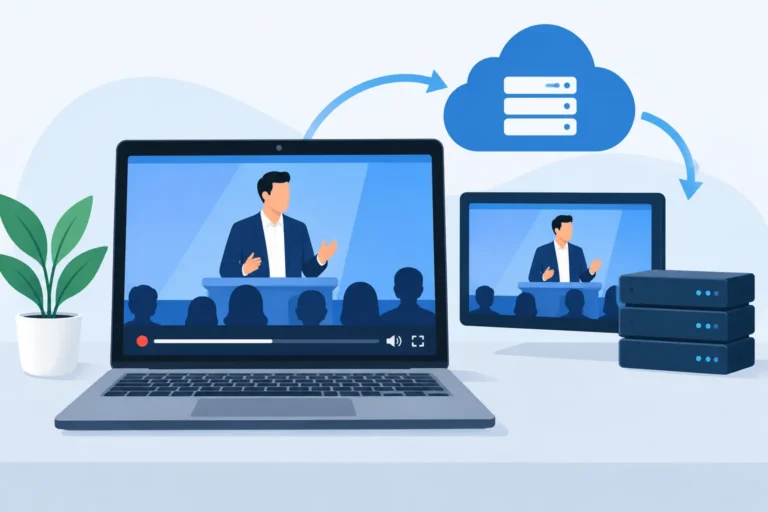
Content also needs its own plan. Presentation slides, videos, documents, and live demonstrations should be shared as clean digital sources. Pointing a camera at a projection screen produces reduced clarity, glare, and unreadable text. A presentation switcher can send the same content to the room displays, the online audience, and recording outputs while allowing operators to change layouts when needed.
Build the System Around the Meeting Format
The best hybrid meeting equipment package is determined by what attendees must do, not by a standard equipment list. Begin with the meeting flow. Will participants mostly listen to presentations? Will remote guests ask questions? Is the program a roundtable where every delegate needs equal speaking rights? Will there be voting, moderated Q&A, or simultaneous interpretation?
For a presentation-led town hall, the priority is strong presenter audio, clear cameras, presentation switching, room displays, and a reliable platform connection. For an executive workshop, tabletop discussion microphones, remote participant screens, and two-way audio become more important. For a formal summit, a conference management system can add speaker queues, voting, delegate identification, and controlled microphone activation.
The room itself changes the equipment decision. Ballrooms with high ceilings and hard surfaces can create reverberation that affects speech clarity. Hotel meeting rooms may have limited camera positions or display mounting options. Exhibition halls can introduce background noise and radio-frequency congestion. A site survey identifies these constraints before event day, when changes are more expensive and less reliable.
Multilingual Meetings Need a Separate Communication Plan
International meetings cannot treat interpretation as an add-on. Interpreters need direct, clear feeds of every floor microphone, presentation audio, and remote speaker. They also need a return path to the online platform if remote attendees are listening in their preferred language.
Simultaneous interpretation systems can provide attendees with wireless receivers and headsets for language channels in the room. For remote attendees, a remote interpretation workflow can distribute interpreted audio through the selected meeting platform or a managed streaming environment. The correct method depends on the platform, language count, interpreter location, and whether remote participants need to speak back through interpretation.
Digital name signs and delegate microphones can also improve multilingual conferences by making each speaker easier to identify for interpreters, moderators, and online viewers. These details reduce hesitation and help formal discussions move at the intended pace.
Reliability Requires Redundancy and an Operator
Hybrid meetings are production environments, even when they are held in a corporate boardroom. They involve microphones, cameras, presentation computers, network connections, displays, platform accounts, and sometimes interpretation channels. Expecting one presenter to manage all of this while speaking is an unnecessary risk.
A technical operator monitors audio levels, changes camera shots, manages presentation sources, admits remote speakers, and resolves issues before they reach the audience. For larger programs, separate audio, video, and platform operators may be appropriate. The right crew size depends on program complexity, not simply attendee count.
Connectivity deserves the same attention. A wired, dedicated internet connection is preferable to venue Wi-Fi for platform hosting and streaming. Where the meeting is mission-critical, a backup connection and spare components should be available. Redundancy may include a backup laptop, alternative presentation source, additional microphone, duplicate recording path, and reserve batteries for wireless equipment.
Recording is another decision that should be made early. A platform recording may be sufficient for internal reference, but a professional program may require an isolated recording of presentation content, camera feeds, or individual audio channels. Planning this in advance protects content quality and makes post-event editing possible.
Rent a Configured System, Not Individual Devices
Purchasing equipment can make sense for organizations with frequent, standardized internal meetings and trained technical staff. However, hybrid requirements often change from one event to the next. A training session may need two cameras, while a regional summit may require conference microphones, interpretation receivers, lighting, recording, radio communications, and multiple breakout rooms.
Equipment rental provides access to current professional systems without the capital expense, storage demands, maintenance workload, or risk of assigning specialist equipment to non-specialist staff. The greater value is in configuration: selecting compatible components, setting up the signal flow, testing the online connection, and providing support throughout the program.
DLC Events builds hybrid meeting systems around the practical conditions of each event, from corporate presentations to multilingual international conferences. With more than 30 years of regional event technology experience, the team can coordinate conferencing, interpretation, professional audio, video, control, and technical operation as one managed solution.
The right question is not, “What is the best camera or microphone?” Ask what every participant needs to hear, see, and do at each moment of the agenda. When that answer drives the equipment plan, the technology becomes nearly invisible – and the meeting can do its real work.