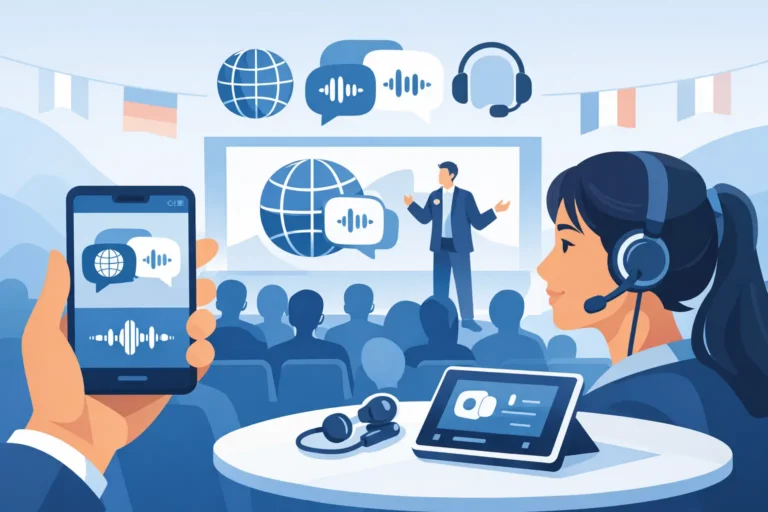
A keynote begins in English, a panelist joins from Riyadh, and delegates in the room need Arabic, French, and Mandarin audio without delay. To integrate virtual interpreters onsite successfully, the event team must treat interpretation as a live communications workflow, not simply a video call with extra headphones.
Virtual interpretation can reduce travel requirements, widen access to specialist linguists, and support programs spread across several cities. Yet it also creates dependencies that do not exist when every interpreter is in a physical booth. Audio routing, return video, network stability, language-channel distribution, and clear technical ownership all need to be planned before doors open.
For conferences, government meetings, corporate summits, and hybrid events, the most reliable approach is a managed system that connects onsite delegates, remote interpreters, speakers, and online viewers through one coordinated technical plan.
Why Integrate Virtual Interpreters Onsite?
Onsite audiences still expect the experience of a conventional simultaneous interpretation system. They want to select a language, hear a clear interpreter feed, and follow the speaker without distracting delays or changes in volume. Remote interpreters can support that experience from another city or country, provided they receive the same essential inputs as interpreters working from a venue booth.
The main advantage is flexibility. An organizer can appoint interpreters based on language expertise and availability rather than travel schedules alone. This is particularly valuable for rare language combinations, short-notice sessions, multi-country speaker lineups, and programs where interpreters are needed for selected agenda blocks instead of the full event day.
There are trade-offs. A remote team relies on internet connectivity and the quality of the audio sent from the venue. They may also have less awareness of room activity, audience reactions, or a speaker who steps away from the lectern. The answer is not to avoid virtual interpretation. It is to design the room, platform, and support plan around those limitations.
Design the Interpretation Signal Path First
The technical question is straightforward: what does each person need to hear and see, and how will that signal reach them? The practical answer can be detailed, especially when several languages, rooms, or streaming destinations are involved.
The speaker’s microphone feed must reach the remote interpretation platform cleanly. That feed should be isolated from room loudspeakers and audience noise as much as possible. A professional audio team normally supplies a dedicated program mix with the presenter, panel microphones, and approved media playback at stable levels.
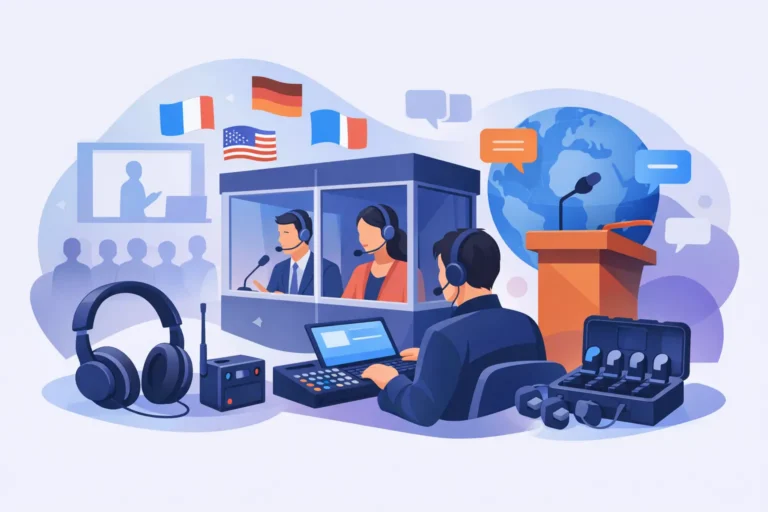
In return, each interpreter’s language feed needs to be brought back into the venue system and assigned to the correct channel. Delegates may listen using infrared receivers, RF receivers, or app-based listening, depending on room size, venue conditions, security requirements, and the intended attendee experience. For a formal conference, dedicated receivers often provide the most controlled result. For smaller workshops or mobile audiences, a properly managed app-based option may be appropriate.
Video matters just as much as audio. Interpreters should receive a direct camera view of the active speaker, presentation content, and, where relevant, a wide room view. A single gallery-style video feed is rarely sufficient for a technical presentation or a fast-moving panel. If the speaker refers to a chart, product demonstration, or document, interpreters must be able to see it clearly enough to interpret accurately.
Give interpreters a proper working environment
Remote interpreters should work from a professional environment with a wired internet connection, suitable headset, quiet room, and the interpretation platform selected for the event. They also need a technical briefing on handover procedures, language channels, agenda timing, speaker names, presentations, and specialist terminology.
For longer sessions, plan interpreter pairs for each language. Simultaneous interpretation requires sustained concentration, and interpreters generally rotate at agreed intervals. This is an operational requirement, not an optional enhancement. A tired interpreter affects clarity just as surely as poor audio does.
Build the Onsite Room Around Clear Communication
A virtual interpreter can only work with the information received from the venue. The room setup therefore needs to support interpretation from the start, rather than adding it after the stage, lighting, and streaming plans have been finalized.
Use close-talk microphones for presenters and panelists. Lectern microphones, gooseneck conference microphones, headsets, or discreet lavalier microphones can all work, but the choice depends on how speakers will move and how much discussion is expected. In a boardroom or council-style setting, a conference discussion system provides structured microphone control and clear participant identification. On a summit stage, a coordinated microphone plot and audio mixing plan are often more suitable.
Audience questions are another frequent point of failure. If a delegate asks a question without using a microphone, remote interpreters will not have usable audio. The room moderator should establish microphone procedures at the beginning of the session, while floor staff should be ready with roaming microphones where needed.
Presentation playback should also be routed deliberately. Videos, remote guest audio, and walk-in content may need to be included in the interpreter feed. At the same time, private production talkback, stage-manager cues, and copyrighted content should not be sent unintentionally. A documented audio-routing plan protects both the audience experience and the production team.
Treat Internet as Event Infrastructure
Virtual interpretation is more sensitive to network issues than a standard presentation feed. A brief interruption can remove the interpreter’s ability to hear a speaker, and a high delay can make a live exchange difficult to follow. Venue Wi-Fi may be acceptable for attendee browsing, but it should not automatically be assumed suitable for critical interpretation traffic.
A dedicated wired connection is the preferred primary path. The production team should test actual upload and download performance, latency, packet stability, firewall permissions, and access to the selected interpretation platform at the event location. Testing should happen with the intended devices and, ideally, at the same time of day as the live program.
A backup connection should be available for high-stakes events. This may be a second wired service, managed 4G or 5G backup, or another approved connectivity path. The backup approach depends on the venue and local network conditions, but it should be tested rather than held in reserve as an assumption.
Network resilience does not remove the need for a contingency plan. Decide in advance what happens if a remote interpreter loses connection, a language channel fails, or a remote platform becomes unavailable. For certain ministerial, regulated, or mission-critical sessions, an onsite interpreter or a ready local backup may be the right level of protection.
Choose the Right Delivery Model for Each Audience
There is no single virtual interpretation setup that fits every event. A single-room executive meeting with 40 delegates has different requirements from a multi-track congress with 1,500 attendees and a global livestream.
For an in-room audience, the priority is reliable language distribution through professional receivers or managed personal devices. For a hybrid event, online attendees may need language selection within the event platform while onsite attendees receive the same languages through a separate receiver network. The two experiences must be synchronized closely enough that remote and local participants can take part in the same discussion.
For multi-room programs, channel naming and scheduling become critical. Each room needs a confirmed language plan, correct receiver allocation, and a clear process for moving equipment between sessions. If one language is used only for a particular workshop, the technical team should know exactly when that channel becomes active and who authorizes changes.
DLC Events can configure interpretation, conference audio, remote interpretation, and technical support as one event package. This helps organizers avoid the common gap between a virtual interpretation provider, a venue AV team, and a receiver-system supplier, where each party assumes another team is responsible for the final connection.
Run a Full Technical Rehearsal
A rehearsal should involve more than logging into the platform. It should test the event exactly as it will be delivered: live microphones, presentation playback, camera views, interpreter handovers, language return feeds, delegate receivers, and any streaming or recording outputs.
The production lead should confirm four practical points before the live session:
- Every interpreter can hear the active speaker and supporting media at a usable level.
- Every interpreter can see the active speaker and presentation content clearly.
- Each language channel reaches the correct onsite and online audience destination.
- The team knows who responds first to audio, network, platform, and receiver issues.
Assigning ownership is essential. An event technician may manage onsite audio, a platform operator may monitor remote interpreter connections, and a stage manager may control speaker flow. Those roles work well when there is one escalation path and a shared communications channel. They work poorly when a problem has no named first responder.
Plan for Speaker Behavior, Not Just Equipment
Even an excellent technical system cannot compensate for unclear speech. Brief speakers to use microphones consistently, avoid talking over one another, pause for audience questions, and share presentation materials before the event. Moderators should manage panel discussions firmly enough to prevent overlapping answers, particularly where several languages are being interpreted simultaneously.
Remote presenters need the same discipline. Ask them to use a professional microphone or wired headset, join from a quiet location, and connect early for a technical check. Their laptop audio may be understandable for a casual call, but it is not necessarily suitable for a multilingual conference.
Before the agenda is locked, map every moment when language support is needed: registration announcements, opening remarks, panels, audience questions, breakout rooms, video playback, and closing instructions. That simple exercise turns virtual interpretation from a last-minute add-on into a controlled part of the event experience – and gives every delegate a clearer reason to stay engaged.