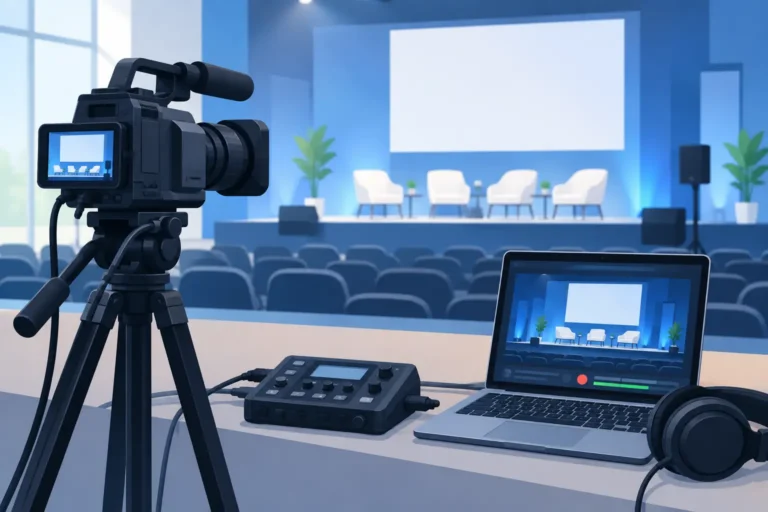
A keynote can look polished from the audience floor and still fail as a recording if the speaker audio is distant, slides are unreadable, or a camera card fills midway through the session. Event recording equipment rental is therefore not simply a camera hire decision. It is a production plan for capturing the message, the people delivering it, and the content attendees need to revisit after the event.
For corporate conferences, government forums, training programs, exhibitions, and multi-room summits, the right package depends on what the recording must achieve. A board-level meeting may need a discreet single-camera record and direct audio feed. A leadership conference may require multiple cameras, presentation capture, session records, remote speakers, and a staffed control position. Establishing that outcome first prevents both under-specifying the system and paying for equipment that does not serve the program.
Start With the Recording Outcome
The first question is not how many cameras to rent. It is who will use the footage and where it will be seen. Internal training recordings need intelligible speech, stable framing, and reliable slide capture. A product launch may need visually dynamic coverage suitable for short social clips and post-event promotion. A hybrid conference often needs separate outputs: a clean recording, a live feed for remote attendees, and presentation content that remains legible on screen.
Ask whether every session must be recorded or only selected agenda items. Consider the expected runtime, delivery deadline, approval process, and whether editing will be required afterward. These decisions affect storage, staffing, camera coverage, audio routing, and the recording format.
A practical brief should also identify any speakers or audience members who must not be filmed, whether recordings require branded lower-thirds or titles, and who has authority to stop or approve recording. These are operational details, but they protect the program when schedules change on site.
Event Recording Equipment Rental: The Essential System
A professional recording setup is a connected system, not a collection of individual devices. Cameras, audio sources, presentation feeds, switching, recording media, monitoring, power, and crew workflows must all work together. The most suitable configuration varies by event, but several components are consistently important.
Cameras and camera positions
A single locked-off camera can be effective for a straightforward presentation, particularly where budget, space, or discretion matters. It should be positioned with a clear view of the speaker and screen, without obstructing guests or emergency access.
For higher-profile programs, two or three cameras offer considerably more flexibility. A wide camera can establish the stage and audience, while a close camera captures the presenter and panelists. A third position can cover audience questions, demonstrations, or alternate angles. Multiple cameras also provide continuity if one angle is briefly obstructed by a photographer, a late arrival, or movement on stage.
Camera selection depends on room size, lighting conditions, lens requirements, and the required final format. Large ballrooms and theater-style venues often need longer lenses and elevated positions. Smaller meeting rooms may benefit from compact, discreet cameras. The equipment should be selected after reviewing a floor plan, sightlines, stage layout, and the venue’s available camera platforms.
Audio is the priority
Viewers will tolerate a modest image more readily than unclear speech. The strongest approach is usually to take a clean feed from the event’s professional audio system rather than rely on camera-mounted microphones. This feed can include lectern microphones, wireless handheld microphones, lapel microphones, panel microphones, and playback audio, depending on the program.
The recording engineer must confirm exactly what is included in that feed. A room mix designed for live sound may not contain a speaker whose voice is already loud acoustically, and audience Q&A microphones may be excluded unless requested. A dedicated recording mix provides better control when the event includes panels, video playback, interpreted audio, or remote contributors.
Backup audio recording is also advisable for high-stakes sessions. It gives the production team an alternative source if there is an unexpected issue with a console feed, cable, or recorder.
Presentation capture and content feeds
A camera pointed at a projection screen rarely produces a professional record of slides. Text can be soft, colors can shift, and exposure changes whenever the presenter moves in front of the screen. Where presentations are central to the agenda, capture the presentation output directly from the content source or video switcher.
Direct capture can be recorded as a separate source or combined with the camera image in a picture-in-picture layout. The best choice depends on how the content will be used. Separate recordings offer the greatest flexibility for editing. A composed program record can be ready for immediate distribution when speed matters more than post-production options.
Plan for Live, Hybrid, and Multilingual Sessions
Recording becomes more complex when it shares infrastructure with live streaming, remote participation, or simultaneous interpretation. The recording system must be designed to avoid competing demands on the same signal path.
For hybrid events, determine whether the remote audience sees the room program, individual camera feeds, presentation content, or a produced combination. Remote speakers may require return audio, confidence monitoring, and managed communication with the stage team. Recording should capture the version that matters most for later viewing, which is not always the same version sent to the virtual platform.
Multilingual events need an equally clear decision. Do you need the floor language only, one interpreted language, or isolated audio tracks for each language? Recording separate language channels can be valuable for international audiences and later localization, but it requires advance coordination with the interpretation system and recorders. It is far easier to configure correctly before doors open than to repair a missing language track afterward.
Build Redundancy Into Important Programs
No event plan can remove every risk, but professional redundancy reduces the consequences of common failures. Recording media can fail, batteries can deplete, a cable can be disturbed, or a source can change without notice. For executive addresses, major announcements, and once-only conference sessions, the recording plan should include backups where they count most.
This does not mean duplicating every device. It means identifying the points where a failure would make the content unrecoverable. A backup audio recorder, dual media recording in cameras, spare microphones, replacement cables, protected power, and monitored recording status are often more valuable than adding another creative camera angle.
A technical crew should actively verify recordings throughout the program. A red record indicator is useful, but it does not confirm clean audio, correct framing, available storage, or a valid signal. Monitoring positions allow operators to notice and resolve problems before an entire session is affected.
Match Staffing to the Production Risk
Equipment rental can include delivery only, but recording is usually stronger when technical support is aligned with the event’s complexity. A single-camera internal meeting may be managed with a simple configured setup and clear handover. A multi-camera conference with live switching, speaker walk-ons, presentations, and hybrid contributors requires experienced operators and a production lead who can coordinate with the event manager, AV team, and venue.
Experienced crews also help with the details that are easy to overlook: camera cable routes, presenter sightlines, camera tally, recording media changes, content handoffs, audio checks, and a controlled strike after the event. They work within the agenda rather than treating recording as an isolated task.
DLC Events can configure recording and control equipment alongside professional audio, conference microphones, interpretation systems, and technical crew support, giving organizers one coordinated production approach rather than disconnected suppliers.
Confirm the Venue and Logistics Early
Venue conditions shape the recording plan. Ceiling height, room depth, ambient light, projector brightness, access times, loading routes, rigging permissions, and internet availability can all affect the final setup. A site survey or detailed venue review is particularly useful for large conferences, exhibition stages, and venues with limited rear-of-room space.
Confirm where cameras can be placed, whether platforms are needed, and how cables will be safely routed. Check whether the venue permits camera positions in aisles or requires cable ramps and safety management. If recording includes audience reaction or networking areas, establish signage and consent requirements with the event owner.
Booking lead time depends on scale and season. Smaller packages may be available on short notice, but multi-room events, specialist camera systems, large crews, and integrated conferencing technology benefit from early planning. This allows the technical team to reserve inventory, review content formats, test signal paths, and prepare a package around the actual run of show.
A Better Brief Produces Better Footage
When requesting event recording equipment rental, provide the agenda, venue details, attendee count, stage plan, microphone plan, presentation format, and desired deliverables. State whether recording is for archive, training, compliance, marketing, hybrid attendance, or all of these. The clearer the brief, the more accurately the system can be specified.
The footage from an event often becomes the long-term record of a decision, announcement, training session, or public conversation. Treat it as part of the event experience from the first planning meeting, and the technical setup will be ready to capture what matters when the room goes live.