A keynote can be perfectly rehearsed, the lighting can be programmed, and every presentation can be loaded correctly, yet a live event can still lose momentum when the production team cannot communicate. A show intercom gives stage managers, audio engineers, video directors, lighting operators, camera crews, and event producers a direct operational line when timing matters most. It is the communications layer that keeps cues, changes, and responses coordinated behind the scenes.
For corporate conferences, product launches, awards programs, exhibitions, and international summits, intercom is not simply a convenience. It supports faster decisions, cleaner transitions, safer backstage movement, and a more polished audience experience. The right system depends on the venue, the number of production positions, radio-frequency conditions, and how the event is being managed across rooms or locations.
What a Show Intercom System Does
A professional show intercom system creates private communication paths for the people responsible for running an event. Instead of relying on shouted instructions, personal mobile phones, or open two-way radio traffic, crew members can communicate through headsets, belt packs, desktop stations, or wireless devices connected to dedicated channels.
At a typical conference, the show caller or stage manager may need to cue a walk-on video, confirm that a presenter is ready, instruct the lighting operator to move to the next look, and tell the audio engineer when to open a microphone. These instructions need to happen immediately and without being heard by attendees. An intercom system makes that possible.
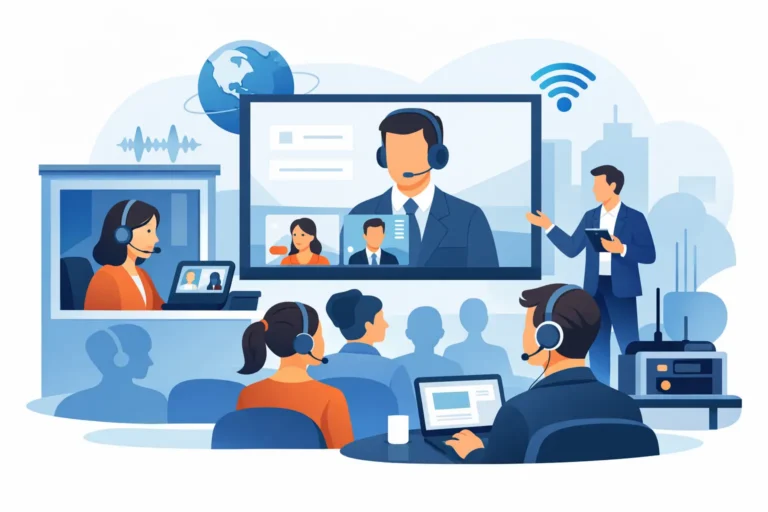
The same requirement applies to live broadcasts and hybrid events. A camera director may coordinate several operators, while a streaming producer manages remote contributors and monitors feed status. With properly designed communication channels, each team hears the information relevant to its role without unnecessary chatter.
Core Intercom Positions
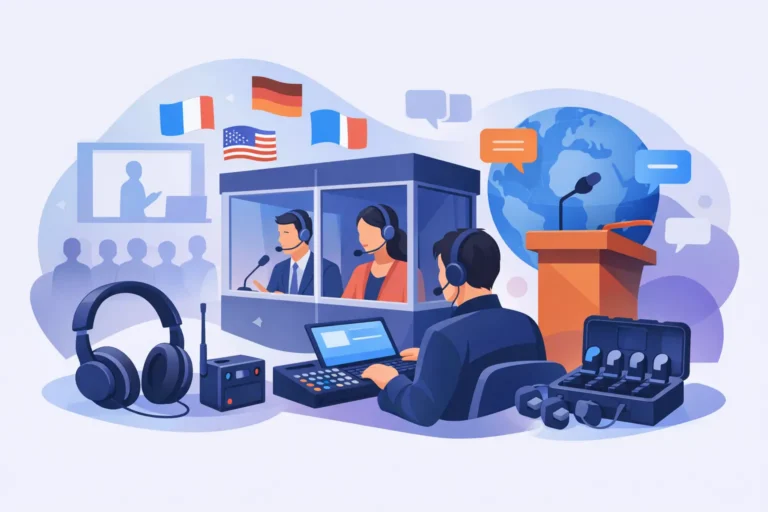
A show intercom package can be configured around the actual production workflow, rather than a fixed equipment list. Common positions include the show caller, stage manager, audio control, lighting control, video control, playback operator, camera operators, floor managers, backstage crew, and technical director.
Some positions need constant access to several departments. The show caller, for example, may speak to all production teams, while a camera operator might only need a camera channel and a private production channel. This distinction is essential. Giving every crew member access to every conversation can create confusion at the exact moment clear direction is required.
Planning a Show Intercom for Your Event
The most effective show intercom design starts with a communication plan. Before equipment is selected, the production team should map who needs to speak to whom, where each person will work, and whether they must move during the program.
A single ballroom hosting a corporate awards night may require a compact system with a few wired stations at front of house, backstage, and the technical control position. A multi-room summit, however, may require separate production channels for each room, coordination between central command and room managers, and wireless coverage across registration areas, speaker lounges, and loading zones.
The planning process should account for several operational factors:
- The number of crew positions and the departments that need dedicated communication channels.
- Whether crew members are fixed at a control desk or moving between backstage, stage, and audience areas.
- Venue size, wall construction, access routes, and areas where wireless coverage may be difficult.
- Existing radio-frequency activity from wireless microphones, Wi-Fi infrastructure, broadcast equipment, and neighboring events.
- The need to connect intercom communications with external systems, such as two-way radios, broadcast control rooms, remote contributors, or venue operations teams.
This level of planning prevents a common issue: deploying enough headsets but not enough communication structure. The objective is not to put a device on every crew member. It is to ensure that the right instruction reaches the right person at the right time.
Wired, Wireless, or a Combined System?
Wired intercom remains a dependable choice for fixed technical positions. It provides consistent communication at front of house, video control, audio mix, lighting control, and backstage desks. It is also well suited to environments with high levels of wireless activity, where frequency coordination needs to be carefully managed.
Wireless intercom is valuable when crew members must move freely. Floor managers, roaming stage managers, camera operators, and exhibition coordinators can stay connected without managing cables across public routes or backstage corridors. For large venues, wireless systems should be planned around antenna placement, coverage zones, and possible obstructions rather than assumed to work equally well everywhere.
Many events benefit from a combined design. Fixed control positions can use wired stations, while mobile team members use wireless belt packs or headsets. This approach balances reliability, mobility, and budget while keeping all key departments on the same production network.
Channel Design Keeps Communication Clear
A show intercom system works best when channels reflect real responsibilities. A production channel may include the show caller, stage manager, lighting, audio, video, and playback. A camera channel can connect the director, camera operators, and shading or engineering positions. A separate backstage channel may support floor managers, speaker handling, and stage crew.
For a simple event, one shared production channel may be enough. For a large-scale summit or televised program, separate channels are usually necessary. The trade-off is that more channels offer greater clarity but require crew members to understand their call procedures and listening assignments. A short communications briefing before doors open is often as valuable as the equipment itself.
Call discipline matters. Teams should agree on concise terminology, identify themselves when needed, and keep nonessential conversation off active production channels. During a live program, a short, clear instruction is easier to act on than a long explanation.
Intercom and Two-Way Radios Serve Different Roles
Intercom systems and two-way radios are often used together, but they solve different communication needs. Intercom is designed for live production coordination, typically with hands-free headsets, low-latency communication, and private channels. It is the preferred solution for cueing talent, directing technical operators, and managing program transitions.
Two-way radios are better suited to wider event operations. Security, logistics, registration, transport, venue coordination, and exhibition teams may need to communicate across large sites and outside the production environment. In the UAE, professional radio communications must be properly licensed and coordinated for compliant operation.
For complex events, a technical provider can create a communications plan that separates production traffic from general operations while giving authorized command positions a way to coordinate between both groups. This prevents a loading dock update or guest transport request from interrupting a live stage cue.
Why Rental Is Often the Practical Choice
Professional intercom equipment is specialized, and the right configuration can change from one event to the next. A company producing one annual conference has different requirements from an agency delivering a multi-stage exhibition or a government department managing an international summit.
Renting allows organizers to access current, enterprise-grade equipment without committing capital to systems that may sit unused between events. It also avoids ongoing maintenance, battery management, frequency planning, firmware updates, storage requirements, and the need to keep specialist technicians on staff.
Rental is especially useful when the program changes late. A speaker schedule may expand, an additional breakout room may be added, or a hybrid component may introduce a new control position. A flexible technical partner can scale the intercom package, add headsets or stations, and revise the channel plan around the final show flow.
Technical Support Is Part of the System
Intercom equipment should not be treated as a box-drop rental for high-stakes events. Setup quality affects coverage, audio clarity, crew comfort, and the speed of troubleshooting. Professional support includes equipment preparation, venue installation, headset allocation, channel labeling, system testing, crew orientation, and on-site technical assistance where required.
Before the event, the technical team should review floor plans, production positions, stage locations, backstage routes, and control-room layouts. During setup, they should test communication at each working position, not only at the equipment rack. Wireless coverage should be checked where people will actually walk, including corridors, speaker holding areas, and entrances to the stage.
DLC Events provides tailored show intercom rental packages with technical setup and operational support for events in Dubai, across the GCC, and internationally. The goal is practical: give every critical production role a dependable communications path before the first attendee enters the room.
Build Communications Around the Show Flow
The best time to plan intercom is while the run of show is still being developed. Identify every cue owner, every decision-maker, and every location where a delay could affect the program. Then build channels and headset assignments around those real tasks.
A well-planned system fades into the background for attendees, which is exactly the point. The audience sees confident speakers, accurate video playback, smooth walk-ons, and controlled transitions. Behind the scenes, the crew has the direct communication needed to make that experience happen.