A conference can have a strong agenda, respected speakers, and a well-designed venue, yet still lose its audience in the first five minutes if they cannot hear, follow, or participate. Effective conference AV solutions turn a room full of people, languages, presentations, and remote connections into a controlled communication environment. For organizers, that means fewer distractions, better engagement, and a more professional experience from registration through the final session.
The right system is not simply a screen, microphones, and speakers. It is a coordinated technical package designed around the room, attendee count, program format, speaker flow, languages, and production requirements. A board meeting requires discretion and reliable discussion microphones. An international summit may require simultaneous interpretation, digital name signs, show intercom, multi-room routing, recording, and hybrid participation. The equipment should fit the event, not force the event to fit the equipment.
What Conference AV Solutions Need to Deliver
Conference technology has one core purpose: make every message clear to the people who need to receive it. That includes attendees in the room, presenters on stage, interpreters in language booths, moderators managing audience questions, and delegates joining remotely.
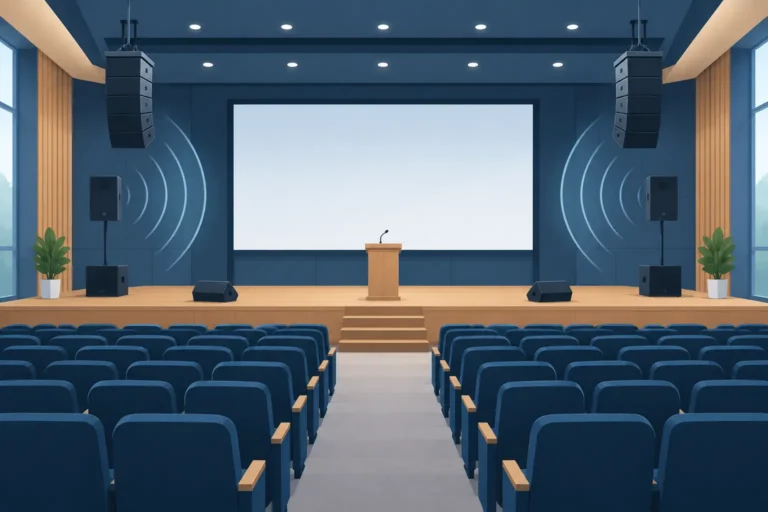
Clear speech is the starting point. Professional audio systems must provide even coverage without feedback, excessive volume, or speech that sounds distant at the back of the room. The microphone choice matters here. Gooseneck discussion microphones work well for formal seated sessions, while handheld, lapel, or headset microphones support panelists and presenters who need to move. For larger congresses, a combination of microphone types is often necessary.
Visual communication needs the same level of planning. Presentation displays, projection, confidence monitors, teleprompters, video playback, and stage lighting should support the speaker rather than compete for attention. A keynote presenter may need a teleprompter and return monitor to maintain eye contact with the audience. A product launch may need branded digital displays and intelligent wireless lighting to reinforce the visual identity of the event.
The third requirement is control. Conference producers need to know who is live, which language channel is active, whether the next presenter is ready, and how to respond if the schedule changes. Conference management software, recording equipment, technician communication systems, and a properly staffed control position give the production team that visibility.
Start With the Event Format, Not the Equipment List
A practical AV plan begins with the meeting design. Before selecting technology, define how people will participate and where communication can fail.
A corporate town hall with 500 employees has different needs from a government roundtable with 40 delegates. The town hall may prioritize large-format visuals, audience Q&A, camera coverage, and a live stream. The roundtable may prioritize individual microphones, participant identification, voting, secure audio recording, and interpretation. Both are conferences, but their technical priorities are different.
Venue conditions are equally important. Ceiling height, room dimensions, existing acoustics, lighting levels, rigging access, power availability, sightlines, and the position of doors all affect system design. A hotel ballroom with low ceilings can create challenges for projection and speaker placement. A convention center may offer scale but require longer cable runs, more distributed audio, and detailed load-in coordination.
An experienced technical partner will request floor plans, agenda details, expected attendee numbers, language requirements, presentation formats, and venue access times. These details are not administrative extras. They determine the equipment package, crew schedule, and testing plan needed to protect the live program.
Build for the agenda’s highest-pressure moment
Most technical issues occur at transition points: the first walk-on, a switch from panel discussion to video playback, a remote guest joining late, or a live question from the audience. Plan around those moments rather than only around the standard sessions.
If the CEO keynote includes video, slides, a teleprompter, and a remote Q&A, that segment should be rehearsed under event conditions. If a panel includes four languages, the microphone, interpretation, and language-distribution workflow must be tested before delegates enter the room. Rehearsal time is an operational requirement, especially for high-profile or multilingual programs.
Audio, Interpretation, and Delegate Participation
For many events, audio quality is the most visible measure of technical professionalism. Attendees may forgive a minor delay in changing a slide, but they will disengage quickly if voices are unclear or language access is unreliable.
Discussion and conference microphone systems give each delegate a controlled way to speak. Depending on the event, they can support chairperson priority, speaker queues, participant identification, voting, and recording. Digital name signs can further improve formal meetings by displaying delegate names, titles, country designations, or branded information at each seat.
Multilingual events require more than additional headsets. Simultaneous interpretation systems must account for interpreter booths, consoles, language channels, delegate receivers, headset hygiene, battery management, and distribution at registration. The number of languages, room layout, and whether participants move between sessions all affect the setup.
AI speech translation and remote interpretation can be useful additions when the program requires greater flexibility or when onsite interpreter availability is limited. However, they should be selected according to the event’s stakes. For sensitive negotiations, regulated sessions, executive communications, or nuanced technical content, professional interpreters and dedicated interpretation infrastructure remain the preferred approach. Technology can extend access, but it should not reduce clarity or confidence.
Hybrid Conference AV Requires a Separate Production Plan
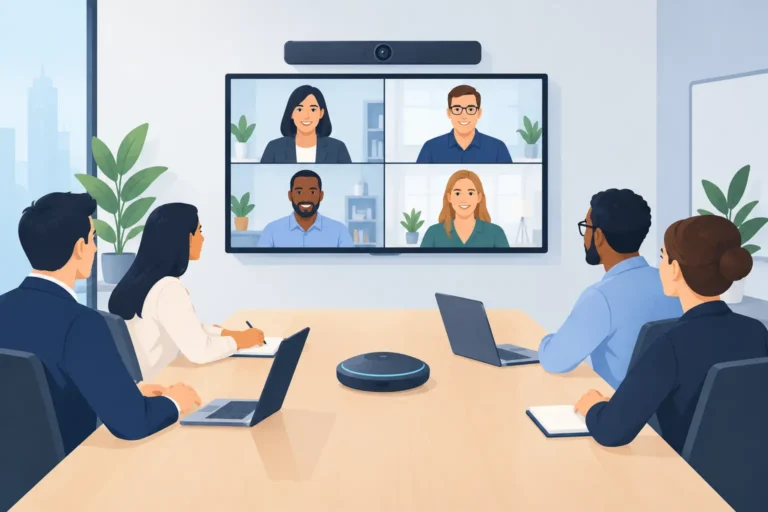
A hybrid event is not an in-person conference with a camera placed at the back of the room. Remote participants need a deliberate experience: clear speaker framing, readable presentation content, intelligible audio, moderated interaction, and reliable return communication to the stage.
Camera positions should be planned around the program. A single wide shot may document the room, but it rarely gives online attendees a useful view of the speaker or presentation. A more effective setup can include dedicated camera coverage, presentation capture, audio mixing for remote feeds, and confidence monitoring for speakers who need to see virtual participants or questions.
Remote speakers also need attention. Test their internet connection, microphone, camera framing, lighting, presentation files, and backup contact method in advance. Ask them to join from a quiet location with a wired connection where possible. If a remote contribution is critical, record a backup version or arrange an alternate connection path.
The hybrid trade-off is budget and complexity. More camera coverage, switching, streaming, and moderation improve the online experience, but they also increase crew and equipment requirements. The best approach is to define what remote attendees must be able to do: watch, ask questions, vote, join a discussion, or present. Then build the system around those functions.
Technical Communications Protect the Live Program
Behind every controlled conference is a crew that can communicate quickly and privately. Show intercom systems connect the stage manager, audio engineer, video team, lighting operator, and show caller. TDRA-licensed two-way radios support wider event operations across venues, exhibition halls, outdoor areas, and multi-room programs.
This infrastructure becomes especially valuable when the schedule is tight. A stage manager can cue the next speaker while the video operator prepares content and the audio engineer confirms the correct microphone is live. Without a clear crew communications plan, small changes can become visible delays.
For events spread across several rooms, technical communications should be mapped as carefully as the attendee journey. Consider who needs to contact whom, where radio coverage is needed, which channels are assigned, and how urgent messages are escalated. This is practical event control, not an optional add-on.
Why Rental and Managed Support Make Sense
Owning conference equipment can appear cost-effective for organizations that host frequent meetings. In practice, ownership brings maintenance, storage, software updates, battery replacement, transport, crew training, and the risk that the available equipment does not match the next event’s requirements.
Professional rental provides a more flexible model. Organizers can scale from a small executive meeting to a multi-room international summit without carrying the capital expense of a permanent inventory. They can also access specialized systems, including interpretation equipment, teleprompters, silent headsets, digital name signs, and conference management platforms only when the format requires them.
Managed technical support is just as valuable as the equipment itself. A qualified crew handles delivery, installation, testing, operation, troubleshooting, and breakdown. For event teams, this reduces pressure on internal staff and gives speakers a single technical point of contact. DLC Events supports this model with configurable rental packages and experienced technical crews across Dubai, the UAE, the GCC, and international event locations.
Questions to Settle Before Confirming Your AV Package
Before equipment is finalized, confirm the expected attendee count, venue floor plan, agenda, languages, presentation formats, branding needs, internet access, recording requirements, and rehearsal window. Also identify the decision-maker for on-site technical changes. A clear approval path prevents delays when a speaker requests an additional monitor, a panel needs another microphone, or the room layout changes.
Do not treat contingency planning as pessimism. Keep spare microphones, power solutions, playback backups, replacement headsets, and alternate presentation files available when the program is high stakes. The exact contingency plan depends on scale, but every event benefits from knowing what happens if a device, connection, or presenter does not perform as expected.
The most useful conference AV plan is the one your attendees never have to think about. When every voice is heard, every language is accessible, and every transition feels controlled, the focus stays where it belongs: on the decisions, ideas, and relationships the conference was built to create.