A speaker change five minutes before a keynote can either be a quiet adjustment or a visible failure. The difference is rarely the change itself. It is the plan behind it. Knowing how to coordinate event communications means giving every person the right information, through the right channel, at the right moment – from the production crew and presenters to remote interpreters and attendees.
For conferences, corporate meetings, exhibitions, and multi-room summits, communication is both an operational system and an audience experience. Organizers need clear decision paths, dependable equipment, and technical teams that can respond without disrupting the program.
Start With One Communication Plan
Event communication often breaks down because separate teams work from separate assumptions. The event manager may have an updated agenda, the AV crew may be working from an earlier run sheet, and a moderator may receive speaker notes through an informal message thread. A single communications plan brings those moving parts together before show day.
Begin by identifying the moments where information must move quickly: speaker arrivals, room turns, session starts, VIP movements, stage cues, emergency procedures, schedule changes, and audience announcements. For each moment, define who makes the decision, who must be notified, and which channel will carry the message.
A practical plan should also distinguish between operational messages and attendee-facing updates. The production team needs precise instructions such as, “Hold house lights for two minutes” or “Interpreter channel three is live.” Attendees need simple, confident guidance about where to go, when a session begins, or how to access translation. Mixing these messages in the same channel creates noise when clarity matters most.
Assign authority before the event opens
Every message does not need approval from the event director. That approach slows response time during a live program. Instead, assign authority according to the impact of the decision. A stage manager may control speaker access and backstage timing. A show caller may cue lighting, playback, and microphones. The conference producer may approve agenda changes, while the client communications lead handles public statements.
Document these roles in the event run sheet and distribute the final version to relevant team leaders. If a change affects multiple rooms, identify one person who owns the update and confirms it has reached each room. Accountability is more reliable than assuming a message has been seen.
Build a Channel Structure for the Crew
The right communication tool depends on venue size, program complexity, and the number of teams working at once. A small executive meeting may operate efficiently with a compact crew and direct coordination. A large conference, exhibition, or outdoor activation needs separated channels so technical traffic does not interfere with security, logistics, registration, or client coordination.
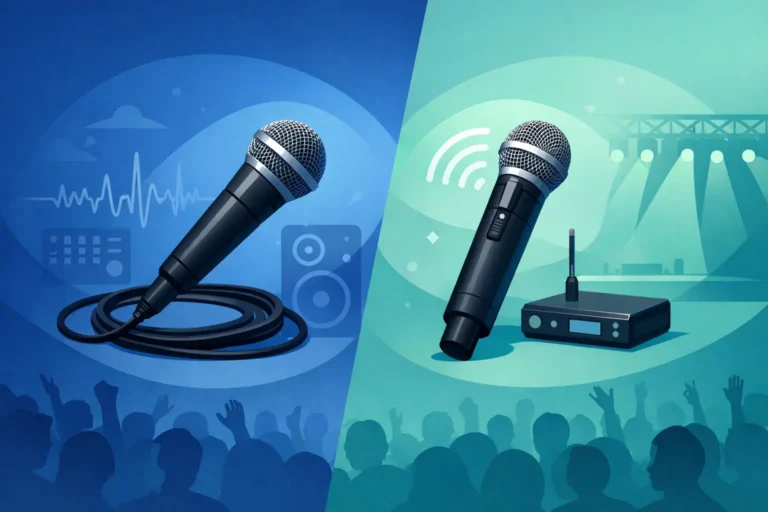
Two-way radios are effective for mobile teams across large venues, particularly when organizers need instant contact between operations, floor managers, registration, security, and logistics. In the UAE, radio systems should be properly licensed and configured for the venue and event requirements. For show-critical production communication, wired or wireless intercom systems give stage managers, audio engineers, lighting operators, video teams, and show callers a dedicated private network.
The goal is not to put everyone on a radio. Too many users on one channel can be as disruptive as having no channel at all. Create purposeful groups, use clear call signs, and establish a short radio protocol. Team members should say who they are calling, wait for acknowledgment, then deliver the essential instruction. Long conversations and vague requests should move off the primary channel.
For major programs, it is useful to reserve an escalation channel for urgent technical or safety issues. That channel should be monitored by the event lead and key department heads, not used for routine requests such as additional water, printed materials, or minor furniture adjustments.
How to Coordinate Event Communications for Attendees
Attendee communication needs to feel organized without becoming intrusive. Participants should know where to register, how to find their room, when sessions start, and what action is expected of them. They should not have to ask a staff member for information that could have been communicated clearly through signage, screens, printed materials, or event software.
Build an attendee message schedule around the event journey. Before arrival, confirm access instructions, timing, dress code where relevant, parking or transport details, and registration requirements. On site, reinforce essential messages through digital displays, digital name signs, registration staff, and room signage. During the program, use confidence monitors, teleprompters, or presentation screens to keep speakers and audiences aligned with the agenda.
Consistency matters. If the event app, digital signage, and registration desk display different session times, attendees will trust none of them. Decide which platform is the source of truth, then establish who is authorized to update it. For a multi-day summit, a live agenda update process is worth planning in advance because last-minute room and speaker changes are common.
Make multilingual access part of the program design
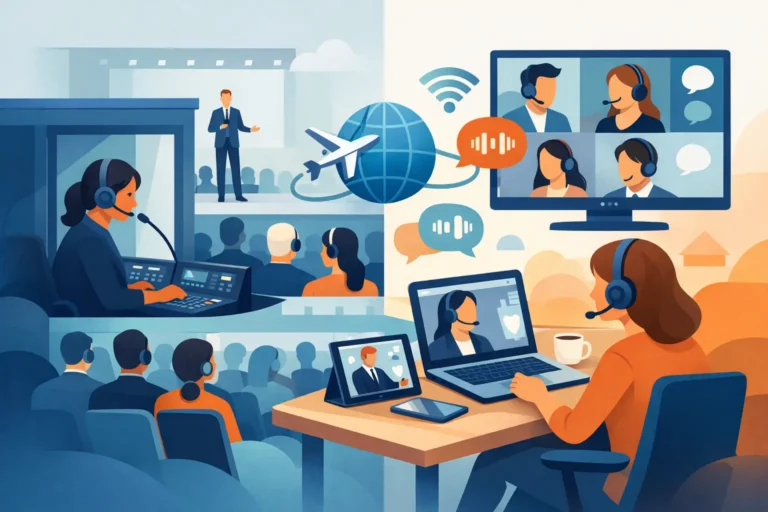
For international audiences, language access is not an add-on. It affects participation, comprehension, and the perceived standard of the event. Simultaneous interpretation systems allow attendees to select the language channel they need through dedicated receivers and headsets, while interpreters work from sound-isolated booths or appropriate remote setups.
The interpretation plan should be aligned with the agenda early. Confirm language pairs, speaker languages, session formats, room layouts, and whether the audience will need interpretation in every room or only selected sessions. Panel discussions, Q&A sessions, and workshops can require different microphone and interpretation configurations than keynote presentations.
AI speech translation can support certain formats, particularly where speed and accessibility are priorities, but it should be evaluated carefully for complex technical, legal, diplomatic, or highly branded content. Live human interpreters remain the right choice when nuance, confidentiality, and accuracy are essential. The best solution depends on the audience, subject matter, and risk level of the program.
Design Technology Around the Venue and Agenda
Communication systems should be planned around how people will actually move and work in the venue. Concrete walls, exhibition structures, adjacent ballrooms, outdoor areas, and large distances can affect radio coverage and wireless performance. A site survey helps identify where equipment should be positioned, where signal tests are required, and which backup measures are sensible.
Room design also affects communication. A boardroom discussion requires clear individual microphones, controlled audio levels, and often conference management tools for delegate requests, voting, or speaker queues. A plenary session may need confidence monitors, teleprompters, presentation control, recording, interpretation distribution, and a dedicated show intercom. An exhibition may prioritize radio coordination, public-address zones, digital displays, and technical support across multiple stands.
Avoid selecting equipment purely by attendee count. A 200-person leadership meeting with six languages, a live broadcast component, and secure executive participation can be more technically demanding than a 1,000-person general session. The event format, content sensitivity, language requirements, and operational pace should guide the system design.
Rehearse the Information Flow, Not Only the Stage
A technical rehearsal is not just a soundcheck. It is the opportunity to test whether the communication structure works under pressure. Walk through session starts, speaker transitions, presentation handovers, remote contributor connections, interpretation changes, and contingency scenarios. Ask the crew to use the actual channels and command structure planned for show day.
Test the details that are easy to overlook. Can the stage manager reach the teleprompter operator? Does the registration lead know how to report an attendee issue? Can the show caller communicate with lighting, audio, video, and interpretation teams without cross-channel confusion? Is there a backup microphone ready if a panelist’s unit fails?
Create a short escalation process for common live-event issues. A late speaker, an agenda overrun, a lost interpretation receiver, a network interruption, or a room capacity concern should each have a clear owner and response path. The objective is not to eliminate every problem. It is to prevent a manageable issue from becoming an audience-facing disruption.
Keep One Team Watching the Whole Event
Large programs benefit from a central point of operational control. This may be a production office, a control room, or a designated event command position where the latest run sheet, contact list, floor plans, and communication devices are available. It gives the event director and technical leads a shared view of what is happening across rooms and departments.
DLC Events supports this approach with configurable conference, interpretation, radio, intercom, audio, and control systems, backed by technical setup and on-site operation. The equipment matters, but the operating discipline around it matters just as much.
When every team knows its channel, authority, and next action, event communication becomes nearly invisible to the audience. That is the standard worth planning for: a program that feels calm, clear, and fully in control, even when the schedule changes behind the scenes.